User guide · Chapter 1
Overview and objects
Native Rent User Guide 1.2 (2026-10-23). Supersedes the published guide. Covers Native Rent package version 1.95 special UIs where noted.
Native Rent is a rental management app on Salesforce. It runs as a managed package (namespace nativerent__). You book Rentables, check them out, check them in, and charge for them.
Main objects
| Object | What it holds |
|---|---|
Rentable (Rentable__c) | One item you rent out. Add-ons are Rentables with Is Add-On checked. Link each Rentable to a primary Rental Site when you use multiple locations. |
Rental Rate (Rental_Rate__c) | A price or fee linked to a Rentable. |
Rental Transaction (Rental_Transaction__c) | One rental for one customer. Holds the Total, payment amounts and status. |
Rental Transaction Detail (Rental_Transaction_Detail__c) | One line on a rental: a Rentable, add-on, fee or Tax line. |
Rental Damage (Rental_Damage__c) | Damage found at check-in. Photos are Files on this record. |
| Rental Site | Pickup or drop-off location (office, branch, warehouse). Holds tax rate, address, operating hours, and other location details for multi-site fleets. Source: customer release email 1.86. |
| Payment | Payment transaction details, including gateway information and API responses. Distinct from Payment Log. Source: customer release email 1.89. |
Payment Log (Payment_Log__c) | One row per saved payment from the Record Payment screen (amount, method, status, running paid total). |
Native Rent Settings (NativeRentSettings__c) | Org-wide settings, such as date-and-time mode. |
| Manufacturer, Model, Rentable Category, Rentable Type | Classify Rentables. Packaged flows help prevent duplicate Manufacturers and Rentable Categories; there is a Rentable Categories tab (package 1.51). See also chapter 15. |
Statuses
Rental lines and rentals use Reserved, Confirmed, Checked Out, Completed and Cancelled.
Lifecycle
- Book: Multi_Rental_process creates the rental and its lines (Reserved).
- Take payments at any time: NR_Payment_Screen.
- Check out: Checkout_Process sets lines to Checked Out.
- Check in: CheckIn_Flow completes lines, adds extra time, damage, post-rental charges and tax.
- Repair damage: Damage_Repair.
Where you work: Search Records and Scheduler
Besides standard Salesforce list views and record pages, staff often use two special interfaces.
Search Records
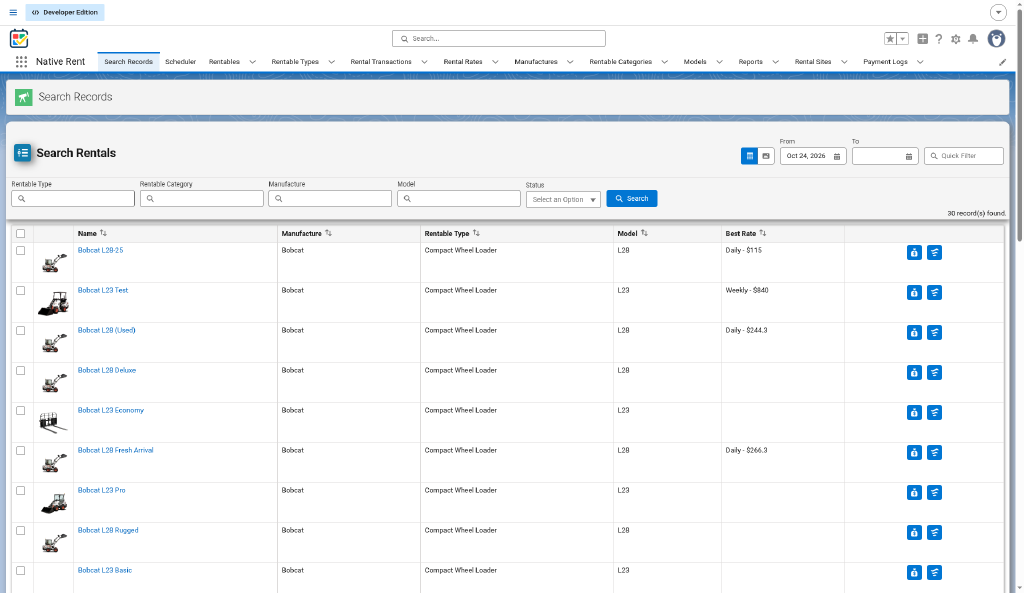
A filterable Rentable finder built with the Native Search Records component. Staff set filters and columns (via Rentable field sets), see photos when configured, multi-select Rentables, and start booking (for example Start Rental → Multi_Rental_process). Details and component parameters: chapter 14.
Scheduler (Native Planner)
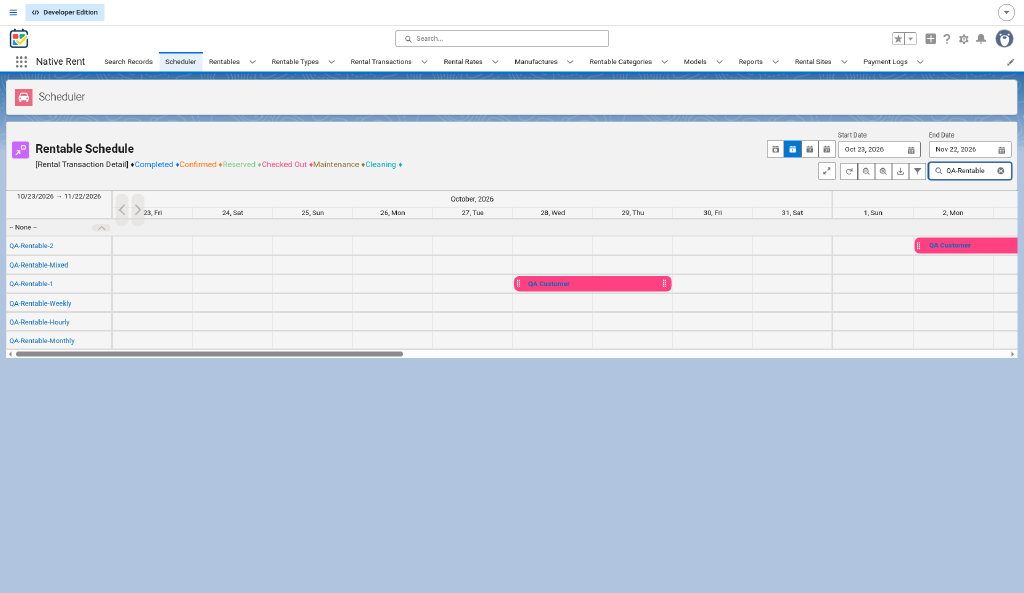
The scheduler is Native Planner, a separate product. It supports drag-and-drop scheduling, color-coded availability, daily/weekly/monthly views, and reservations from the scheduler. When enabled on the scheduler record, the scheduler popup is customizable — see the Native Planner customization guide. Logic and visuals were refreshed in package 1.51. Source: published guide / AA; customer release email 1.51.
Flexibility contrast
- Search Records — pick Rentables by attributes and filters, then book from the result list.
- Scheduler — plan on a timeline: see availability visually, then book from the calendar.
Packaged flows in the repo
Multi_Rental_process, NR_Multi_Rentals_Multi_Dates, NR_Edit_Rental_Transaction, NR_Payment_Screen, Checkout_Process, CheckIn_Flow, Damage_Repair, Select_Rental_Transaction_For_Contact, Detail_Transaction_Rental_Flow, Transaction_Detail_Flow, NR_Change_Transactions_Detail_if_Rental_Transaction_Change_Status, NR_Return_Add_On_Stock_On_Cancel (Draft only, nothing calls it live).
Rental_Process and Get_Contact_for_Rental have no active version (log 2026-10-22). Use Multi_Rental_process to book.
Other flows the published guide lists (Rentable_Filter, Native_Barcode_Scanner_Template, Find_Rentable_Rates, Best_Rate_Rentable_Update, Rental_Transaction_Detail_Remove_Rate_when_Change_Rental, Update_Rentable_Status_when_Transaction_Detail_Status_Change, Rentable_Status_when_Transaction_Detail_Status_Change_to_Complete) are not in the repo. Source: published guide / AA; not in repo source. Find_Rentable_Rates appears in published-guide Search Records examples; [UNVERIFIED] whether it still exists in packaging.
Source: process-map.md; decision-log.md; published guide / AA (Search Records and Scheduler); customer release email 2026-08-06 (Rental Site, Payment, 1.51 classify objects).