User guide · Chapter 12
Damage repair
Native Rent User Guide 1.2 (2026-10-23). Supersedes the published guide.
Damage is recorded at check-in on Rental Damage. Photos are Files on the record.
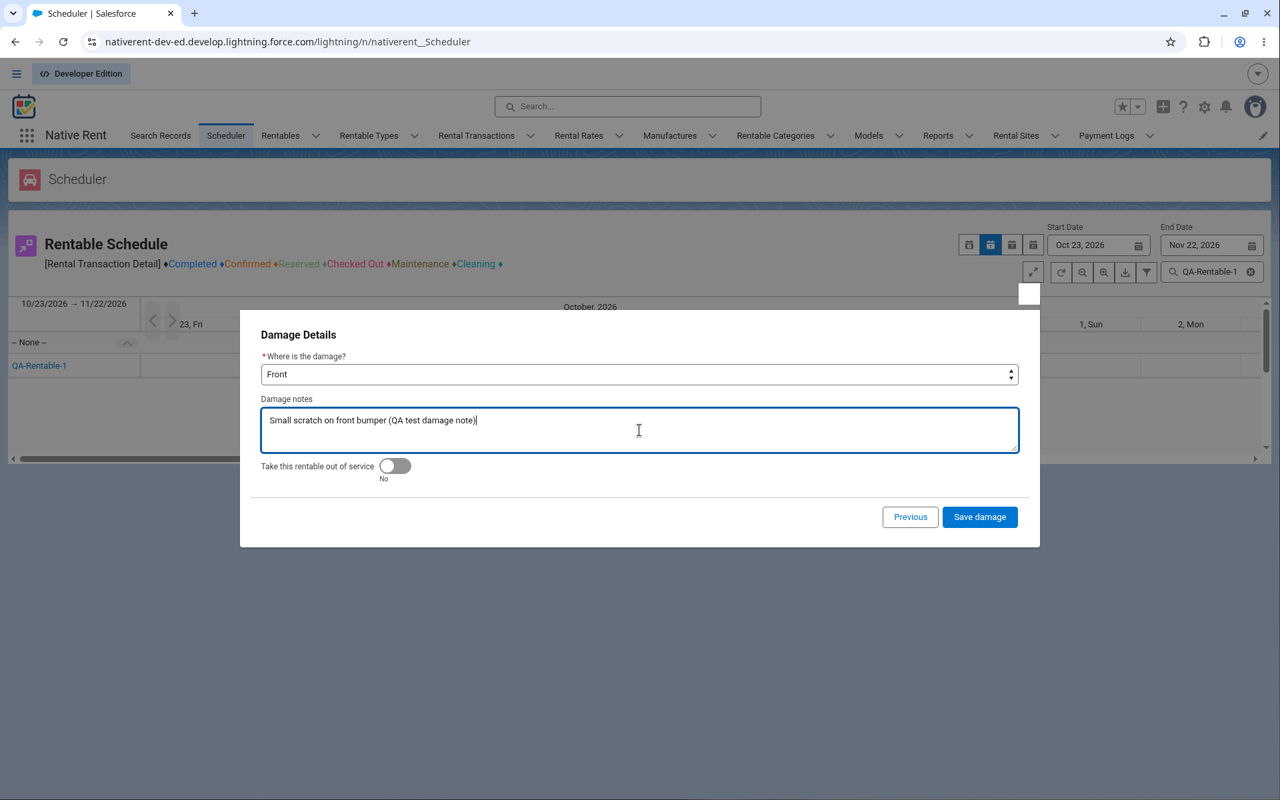
Fields
Damage Location (required; values can be added), Rentable, Rental Transaction, Rental Transaction Detail, Notes, Status, Estimate Amount, Actual Amount, Amount Variance (actual minus estimate), Out of Service, Include in Rental Documents (default on), Reported At, Reported By.
Status values
Reported, Under Review, Estimate Requested, Estimate Received, Approved for Repair, Repair Declined, Scheduled for Shop, In Body Shop, In Mechanical Repair, Sublet / Sent Out, Repaired & QC Passed, Ready for Rent, Totaled / Salvaged, Closed - Diminished Value.
Update a repair
- Open the damage record.
- Click Update Repair (quick action, flow Damage_Repair).
- Change status, amounts and Include in Rental Documents.
- Save. A Saved screen confirms, or Could not save shows the error.
Note: Damage Location is a picklist your admin configures for what you rent. Whether the package keeps shipping its current default list is an open question.
Source: repo objects/Rental_Damage__c, flows/Damage_Repair; decision-log.md 2026-10-19.