

Native Rent
Equipment and Tool Rental in Salesforce
Native Rent keeps equipment and tool hire inside the Salesforce org your teams already use. Rentables cover serialized units and quantity stock, so a concrete saw, a blade add-on, and a bulk accessory can share one rental model without a side spreadsheet.
Tool rental how-to · User guide · Vehicle rental
What equipment teams use Native Rent for
Construction yards, tool cribs, and mixed asset desks need availability checks, rates that can run hourly through yearly, fees and add-ons, and a clean checkout / check-in loop when gear leaves and returns. Native Rent uses generic Rentables with categories, types, Field Sets, and cloneable Flows so you shape the process for heavy equipment or small tools without renaming the packaged objects.
- Real-time availability and overlap checks across bookings
- Hourly through yearly rates, required and optional fees, add-on stock
- Serialized units and non-serialized quantity stock under the same model
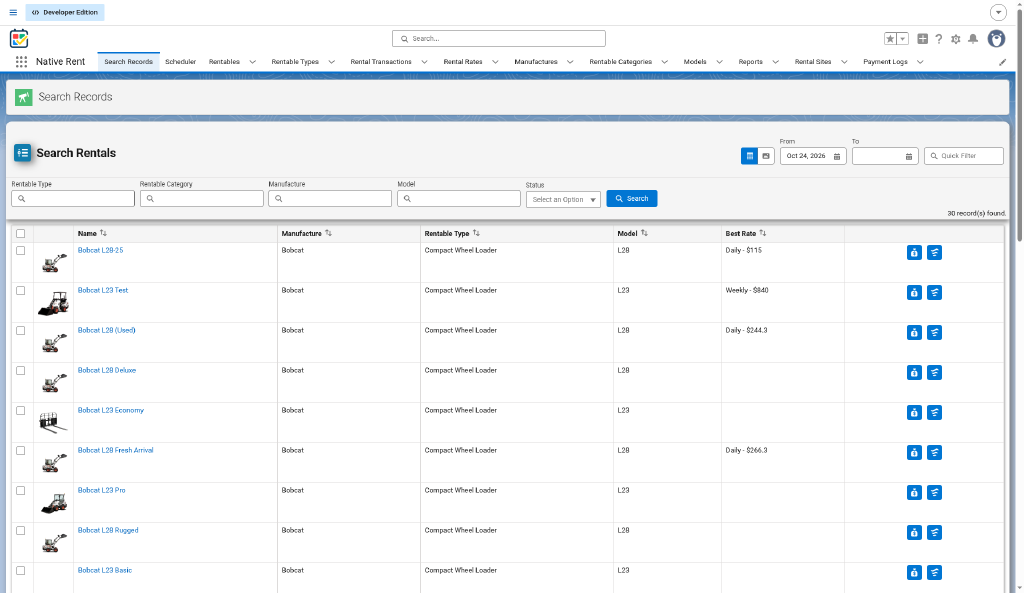
- Search with photos so the counter picks the right unit
- Mobile check-out and check-in, including damage photos
- Visual scheduler for timelines beside Search and booking
- Payment log plus ops and utilization dashboards
From catalog to a working rental
- Set up Rentables (categories, types, rates, Field Sets) for the equipment you hire out.
- Book dates, Rentables, add-ons, and fees from Search or the visual scheduler.
- Check out what leaves the yard or crib.
- Check in returns: extra time, damage, and charges are added.
- Take payments and watch the reports and dashboards.
For a concrete walkthrough with sample tool data, follow the tool rental working-system how-to. Setup details for date modes, grace hours, and permissions are in Setup and Settings.
FAQ
Can Native Rent handle tools and heavy equipment together?
Yes. Generic Rentables support serialized units and quantity stock in one model. Categories, types, and Field Sets let you present tools and heavy equipment the way your counter works.
Can I bill equipment by the hour or by the day?
Yes. Turn on date-and-time mode when you need hourly rates. The same catalog can also carry daily, weekly, monthly, and yearly rates.
What happens when gear comes back late or damaged?
Check-in can add an extra-time charge. Damage records support photos. Cancel is allowed only before checkout.
Is there a guided setup for tool rental?
Yes. See Tool Rental: from Data to a Working System and the User guide.